
You’re in control now
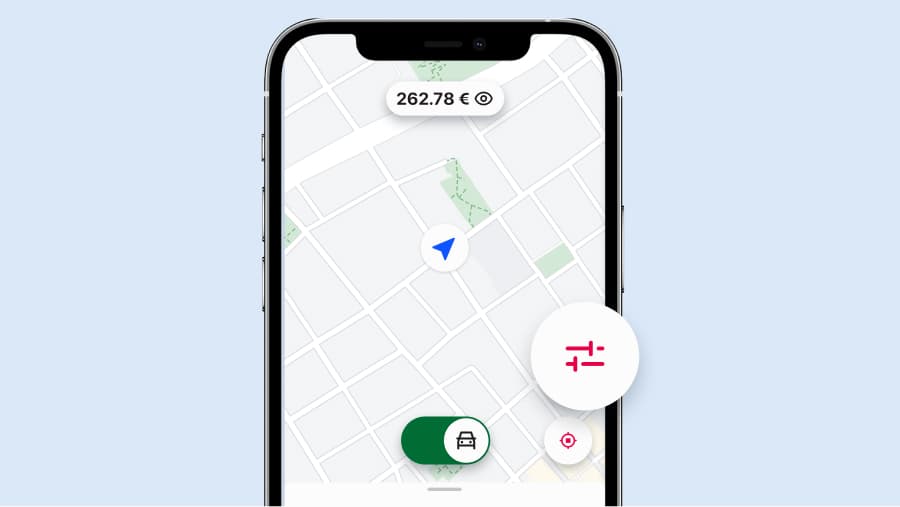
No more declining offers one by one. No more calling support to update your account. Your offer preferences page puts you in total control of the jobs coming your way – set it up once, and adjust it whenever your day changes.

Everything you need to shape your offers, all in one place
 Optional ride types
Turn optional ride types like Taxi Saver on or off with a quick toggle. Busy shift? Switch them off to focus on your preferred jobs. Quiet afternoon? Keep them on to keep your earnings moving.
 Choose the payments you accept
Opt in or out of non-app payments, including cash, debit and credit cards. If you prefer to stick strictly to in-app payments, that’s completely your call.
 Set your pickup radius
Use the slider to set a maximum pickup distance. Keep it tight when you want jobs right around the corner, or widen it during quieter hours to see more offers.
 Auto accept
Turn on auto accept to let nearby jobs – or offers above a minimum fare – come straight to you without tapping. It only accepts offers that already fit your chosen preferences.
- Optional ride types
Turn optional ride types like Taxi Saver on or off with a quick toggle. Busy shift? Switch them off to focus on your preferred jobs. Quiet afternoon? Keep them on to keep your earnings moving.
- Choose the payments you accept
Opt in or out of non-app payments, including cash, debit and credit cards. If you prefer to stick strictly to in-app payments, that’s completely your call.
- Set your pickup radius
Use the slider to set a maximum pickup distance. Keep it tight when you want jobs right around the corner, or widen it during quieter hours to see more offers.
- Auto accept
Turn on auto accept to let nearby jobs – or offers above a minimum fare – come straight to you without tapping. It only accepts offers that already fit your chosen preferences.
How to get started
- Open your offer preferences by tapping the preferences icon on the home screen.
- Choose the settings you want to adjust: ride types, payments, pickup distance or auto accept.
- Set your setup, and change it anytime your day calls for it.