
The Freenow Portal
Manage your entire fleet: trips, drivers, vehicles and documents – all in one place.

What is the Freenow Portal?
The Freenow Portal is your online control centre, a secure, all-in-one platform for effortless fleet management. Stay organised, stay in control and run your business with confidence.
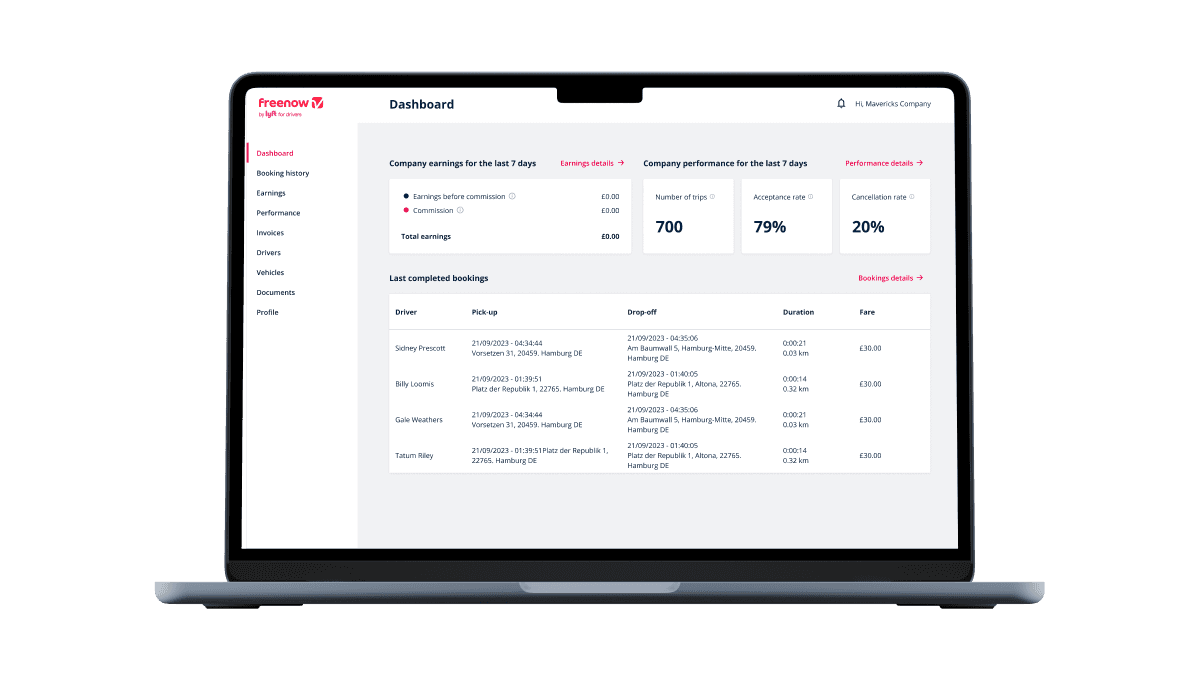
Designed to make managing your fleet simpler, every single day

Earnings transparency
Access your earnings data. View, download and stay on top of your bookings and receipts.

Monitor your fleet
Invite any driver to join your fleet with ease and monitor their activity in real time.
Grow your fleet
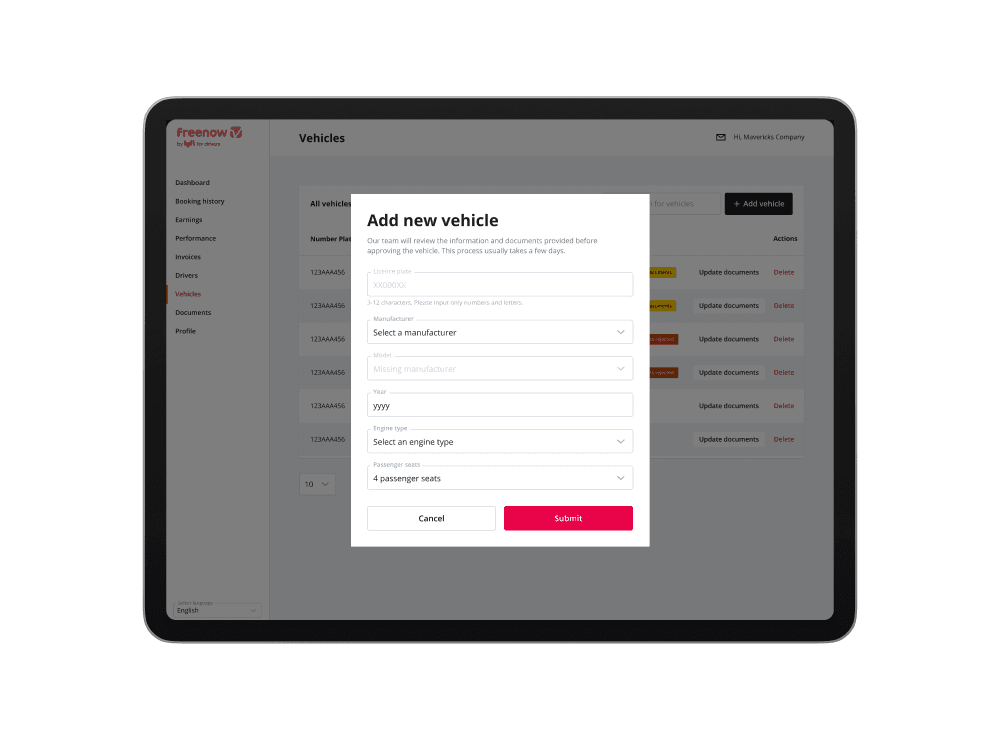
Expand or streamline your fleet in seconds. Adding or removing vehicles is effortless.
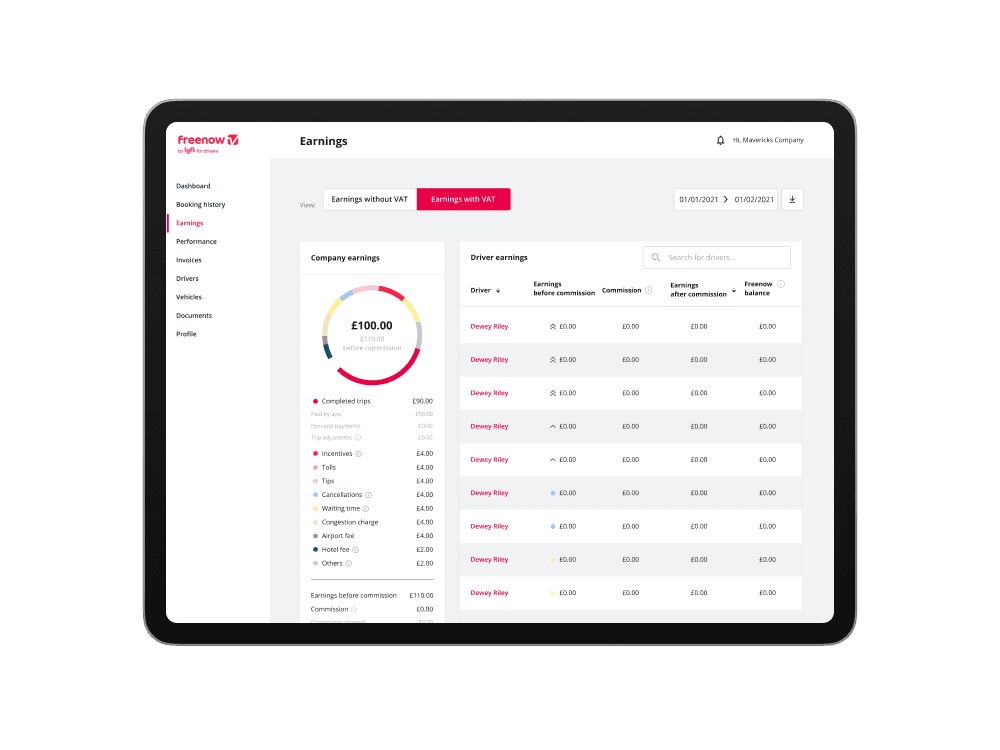
Total earnings transparency, for you and your drivers
See every detail of your company and driver earnings at a glance.
• View identical earnings data as your drivers – no discrepancies.
• Generate detailed earnings reports for any time period.
• Compare company-wide income with individual driver breakdowns.
• Download CSVs instantly for payroll or analysis.
Real-time visibility, total control
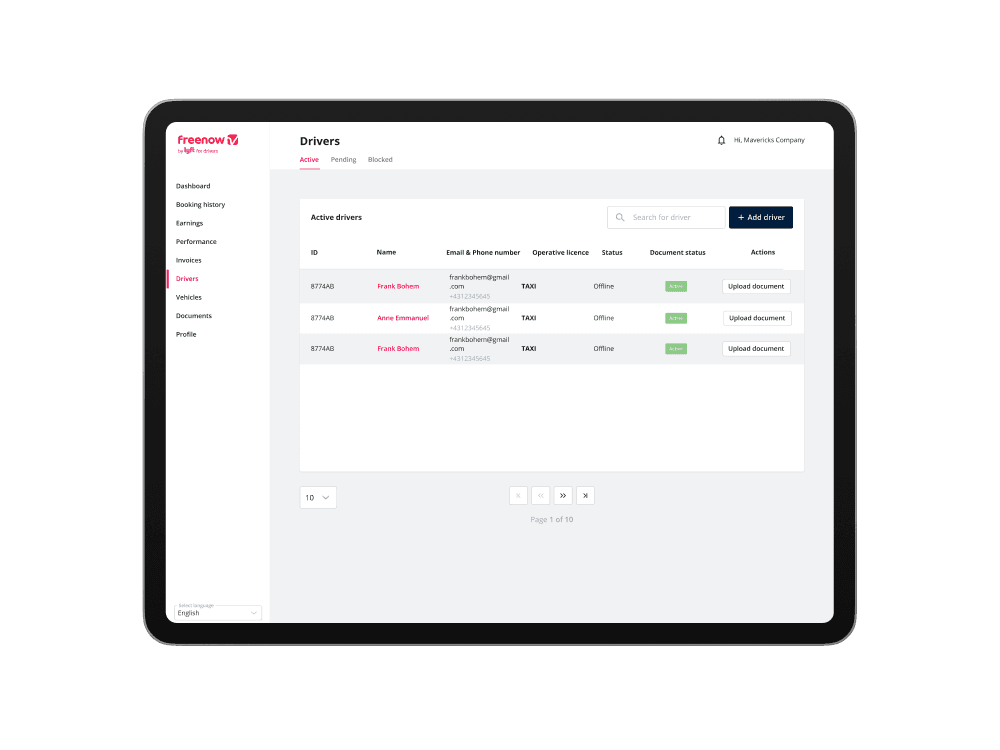
Track your entire fleet, who’s online and who’s on the way.
• Instantly see which drivers are logged in and ready for dispatch.
• Track every journey stage, from ‘On the way’ to ‘Payment processed’.
• Contact drivers directly via phone or email with one click.
Grow your fleet
Add drivers, vehicles and documents directly from the Portal. It’s quick, flexible and built for growing businesses.
Got questions?
Here’s everything you need to know.
When are the payments processed?
Fleet payments are processed weekly and credited the following week, including commissions, bonuses and any adjustments. (Learn more here.)
How can I add a driver?
Adding an existing Freenow driver
• Go to ‘Drivers’ and click ‘Add driver’.
• Enter their email; the system will recognise them instantly.
• Once you click ‘Add’, they’ll receive an invitation to join your fleet.
• Just get them to accept the invitation."
Onboarding new drivers
• From the ‘Drivers’ menu, click ‘Add driver’ and enter their email.
• Fill in their details and upload a clear profile picture on a white background.
• Upload photos of their taxi license and ID card, or ask the driver to do it.
• We’ll notify you both the moment they’re approved.
How can I see completed trips?
Visit the booking history page to view every completed trip and download receipts.
How can I download invoices and receipts?
Head to the Invoices tab to view and download all your financial documents (More info here.)
How can I add or remove a vehicle?
In the Vehicles page, click on the ‘+ Add vehicle’ button. To remove a vehicle, select the’ Delete’ option located to the right of the car details (more info here.)
How can I upload documents?
Head to the documents page. See how to do it here.